Ask your data in plain language.
Datachat turns natural-language questions into SQL, charts and Python-based analysis, runs them and shows the result instantly. You don’t need SQL skills, and you don’t have to wait for an analyst.
Your data never leaves your server. In basic mode the AI only sees the table structure.
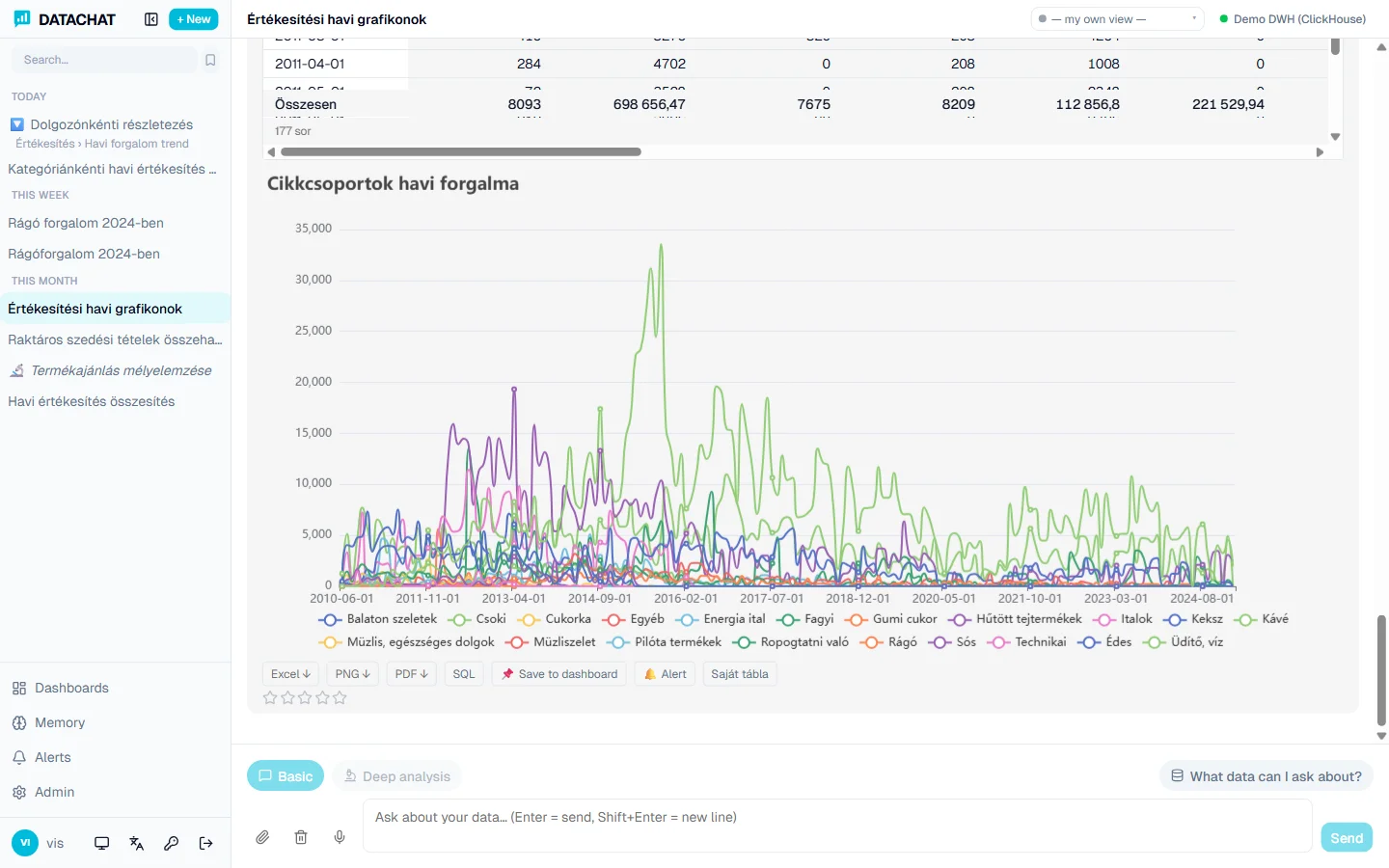
From a question to a shared report
Querying, visualization, dashboards, drill-down, memory, alerts, export: Datachat covers the entire analytics workflow.
Plain-language questions
Ask in English or Hungarian, by typing or by voice. The AI picks the tables, writes the SQL and runs it, and it fixes a failing query automatically.
Instant visualization
From 25+ chart types the AI automatically picks the best fit. Say “show it as a line chart” and it redraws. Every answer comes with an explanation.
Security by design
In basic mode only the schema reaches the AI, never real data. Read-only connection, SQL whitelist, role-based permissions and user-code-level row filtering.
Dashboards
Save any answer to a dashboard, arrange it on a drag & drop grid, add parameters and KPIs, share with your team, or project it on a TV with no login.
A quick answer or a deep investigation
Basic mode answers everyday questions instantly. Deep analysis mode investigates complex and “why” questions in multiple steps with visible reasoning, and only finishes when the data answers the question.
Basic mode
For everyday questions, instantly.
- The AI only sees the table structure, never actual data.
- Asks for clarification when a question is ambiguous, with optional clickable answers.
- Repairs failing SQL automatically (up to 3 attempts); the user never sees the errors.
- Adds an explanation to every answer: what the data shows and how to interpret it.
Deep analysis mode
For complex and “why” questions.
- Iterative work: the AI fetches and interprets data, asks back if needed, then delivers a summary analysis.
- You see the AI’s reasoning in real time: each step appears immediately (“Step 2: aggregating the previous and current period”).
- Investigation plan: for causal questions the AI lists which dimensions it examines (product, region, customer, period, price vs. volume).
- Sufficiency check: internal reflection verifies the data answers the question; if not, it continues automatically.
See how it works
Visible reasoning
In deep analysis you see the AI’s steps in real time, so you follow the investigation instead of staring at a spinner.
Sufficiency check
Before finishing, an internal reflection step verifies that the data really answers the question. If something is missing, it continues automatically.
Drill-by as well as drill-down
Most BI tools only break a value into detail. Datachat also swaps dimensions: same X-axis, a different perspective on the same data.
Schema-only security
In basic querying the AI never sees actual rows, only the structure of the tables. Sensitive data stays on the server.
Image understanding
Paste an Octopus8 screenshot or error message and the AI reads the field names and values from it and uses them in the query.
Python-based analysis
Deep analysis goes beyond SQL: the system also runs Python statistics (regression, correlation, trend, forecast) for answers a plain query can’t give.
See it work on your own data
We’ll show you a tailored demo built on your Octopus8 data warehouse. 30 minutes, no commitment.